How I test and score
I sift through the plethora of language apps, delivering reviews based on deep expertise in language learning and teaching.
My review process starts with an initial walk-through, using the app for at least 15 minutes to capture first impressions and usability.
I then conduct a criteria-based evaluation focusing on key features like spaced repetition, user customization, and the balance between educational content and gamification.
My reviews are thorough, with a scoring system that emphasizes course quality (70%) over user experience (20%) and price (10%).
Importantly, I do not receive payment for these reviews.
Learn more on my review policy and process page.
Summary
Course quality
User experience
Pricing
Pros
- High-quality vetted tutors: LanguaTalk accepts only a small share of applicants
- Flexible scheduling options, with cancelling and rescheduling up to 24 hours before a lesson
- AI conversation practice with Langua: realistic voices, dialects, a hands-free call mode and corrections with explanations
- Personalized lessons and content, including your own YouTube videos and text
- No mandatory subscription for tutoring, and a free or low-cost 30-minute trial session
- Guided Course and Guided Mode help beginners, and you can speak your native language when stuck
- Langua works on the web, iOS and Android
Cons
- Limited structured curriculum
- AI feedback sometimes inconsistent
- Basic flashcard interactivity
- No tutor search bar when I recorded my walk-through
- Limited language selection: 16 languages for tutoring and 20+ for Langua
- Langua's free plan is very limited (about 20 chat messages a week and 3 minutes of call mode a day), and the Pro trial needs a card
- The Standard plan caps you at 75 chat messages or 30 minutes of calls a day
Best suited for
Learners focused on speaking practice and personalized lessons
At a glance

App name
LanguaTalk
Made by
LanguaTalk
User base
Sentiment
- Personalized lessons improve speaking confidence
- Tutors are high quality and professional
- Flexible scheduling is very convenient
- AI tool useful but still improving
- Platform lacks some advanced features
- The Langua app is rated 4.6/5 from about 2,600 ratings on the US App Store (September 2026)
Concept
Platform combining AI and tutors for personalized language learning.
Available on
Web, iOS, Android
Levels covered
(A1) Beginner, (A2) Elementary, (B1) Intermediate, (B2) Upper-intermediate
16 languages taught
Italian, Spanish, French, English, German
Pricing, free trial, refunds
Pricing
Free trial
Refunds
First-hand review
Walk-through
Intro
Hi! In today’s video, I’m reviewing LanguaTalk—a platform that offers one-on-one tutoring and AI-powered tools to help you learn languages like Italian.
I came across LanguaTalk while looking for new ways to improve my Italian and thought I’d give it a try. So here’s what it’s like to use LanguaTalk to learn Italian.
What is LanguaTalk?
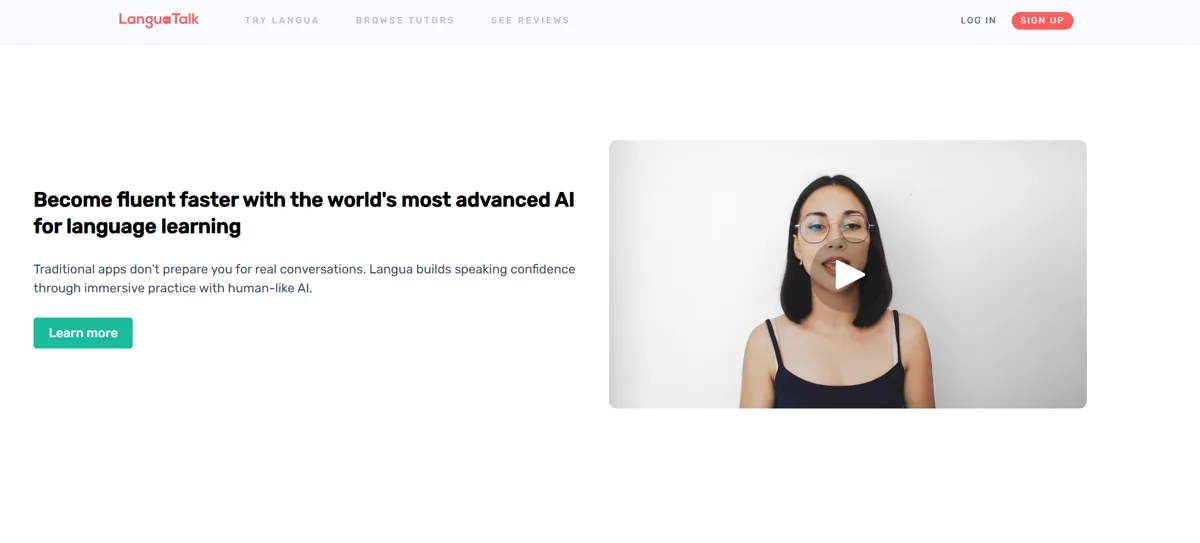
LanguaTalk is a language learning platform where you can either book private lessons with tutors or use an AI feature called Langua to practice on your own.
So, whether you’re looking to practice speaking with a real person or prefer solo study, it offers both options.
Tutoring – Personalized Lessons
Let’s start with the tutoring side.
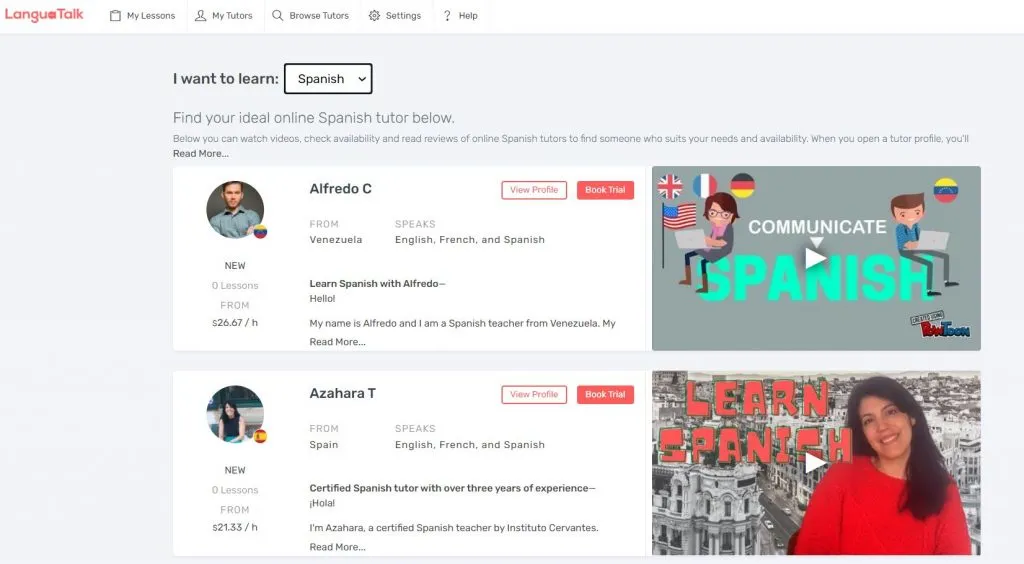
You can book one-on-one video calls with native Italian tutors. Most of them offer a free or discounted trial, which makes it easier to test the waters. I really liked that I could filter tutors by price, availability, and even their teaching style.
The lessons are completely customized. One of the tutors I tried focused more on conversation, while another helped me with specific grammar points I was struggling with.
Scheduling is flexible—you just pick a time that fits your routine—and there are no recurring fees. You only pay for the lessons you want, which is great if you don’t want to commit to a subscription.
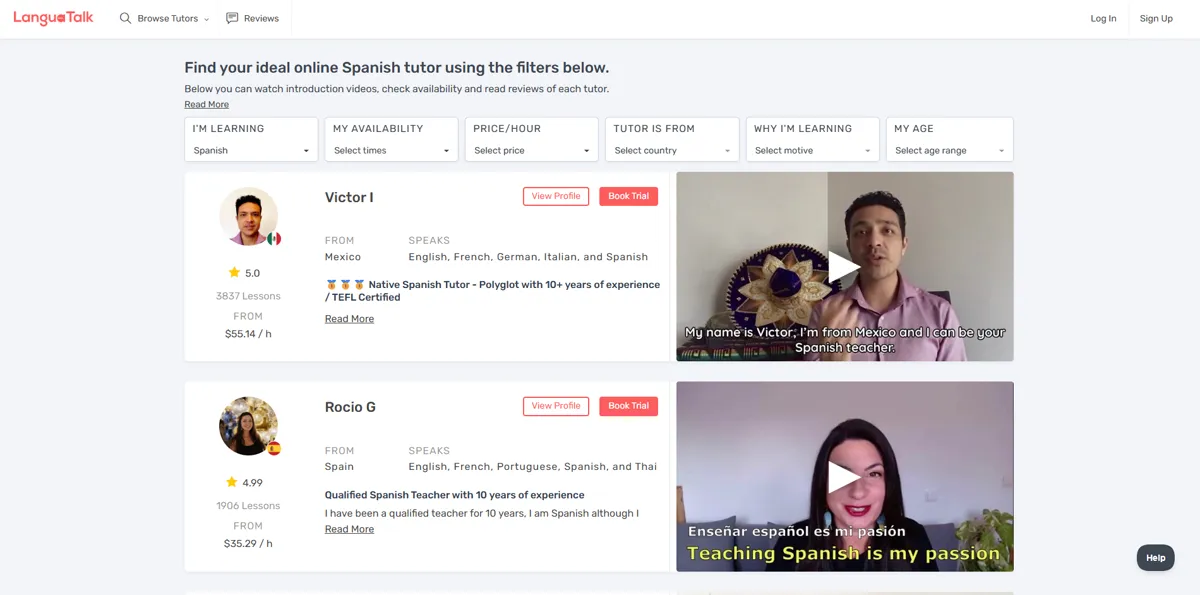
Now, while the tutor quality is generally high—LanguaTalk only accepts a small percentage of applicants—availability can be hit or miss. A couple of times, I found a tutor I liked, but they didn’t have open time slots that matched my schedule. Also, if you’re a beginner, it’s worth double-checking that the tutor is comfortable teaching absolute starters in Italian.
Langua – AI Practice Tool
Next is Langua, the AI tool built into the platform.
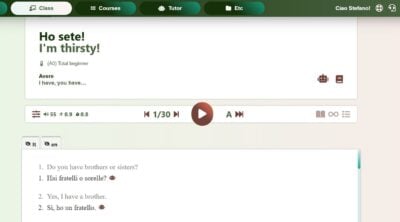
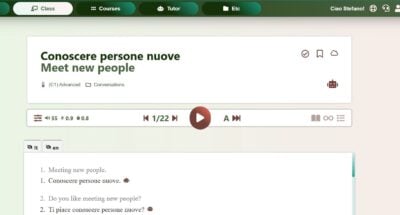
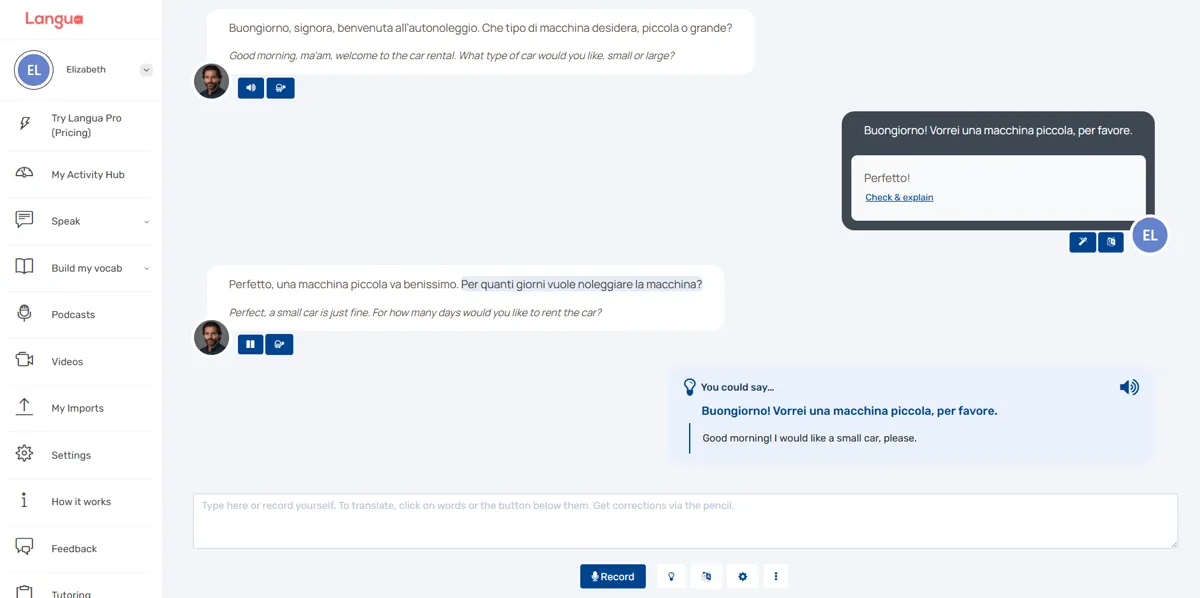
This part of the site lets you have conversations with AI characters in Italian. You can either type or speak your responses, and the AI replies with audio and on-screen text. There’s even the option to slow things down or translate parts you don’t understand.
There are also pronunciation features where you read a sentence aloud, record yourself or type, and the AI gives you feedback on which words you got right. You can even use the “Check & explain” option to get a more detailed breakdown of what went wrong and how to improve it.
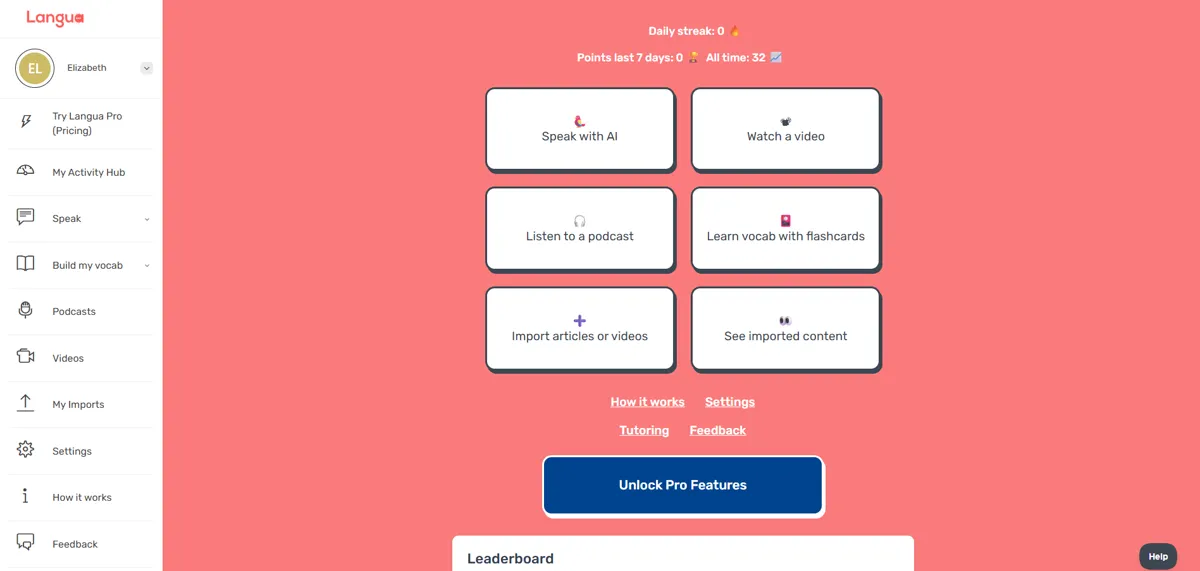
One of the things I explored the most was the vocabulary system. You can save new Italian words from any activity—videos, podcasts, or even AI chats—and they go straight into your personal word list. From there, you can study them using flashcards, which I found surprisingly flexible.
There are three types of flashcard exercises:
- Recall, where you see the Italian word and try to remember the meaning.
- Listen, where you hear the word and guess what it means—great for pronunciation and listening.
- Produce, which is the hardest. You get the meaning in your native language and have to recall the Italian word from scratch.
If you’re using the Pro version, you can even create your own custom vocab lists or import words from outside materials. And one of the coolest things: the AI can generate a short story using your saved words, so you can see them in context with full sentences—super helpful for reinforcement.
There’s also a solid library of podcasts and videos, and you can filter them by level, topic, or length. If you’re someone who likes learning through content, this is a nice touch.
And something I found particularly useful—you can import YouTube videos or text into Langua and study directly from them. The platform gives you playback tools, translations, and word saving options, so you can learn from whatever content you’re actually interested in.
So if you’re into flexible, independent study with tools that support listening, speaking, and vocabulary building, Langua has quite a bit to offer.
User Experience
The interface is clean and easy to navigate. I liked how everything was laid out simply. But I did notice a few things missing—for example, there’s no search bar to find a specific tutor, and no easy way to see how many lesson credits you’ve used.
The design works, but it’s pretty minimal. If you like platforms that feel fun and colorful, this one might come off a bit plain.
Prices and Free Limits (September 2026)
Tutoring and Langua are billed differently. Tutors set their own rates, and LanguaTalk’s Italian page lists roughly $14 to $40 per 55-minute lesson, with discounts when you buy several lessons at once. New students get a 30-minute trial that is free or costs 30% of the tutor’s lesson price, and the final cost, including payment fees, is shown at checkout.
Langua has a free plan with low limits: about 20 messages a week in standard chat modes and 3 minutes a day of call mode. The two Pro plans, as listed on the US App Store, are Standard ($19.99 a month, $49.99 for 3 months or $149.99 a year) and Unlimited ($29.99 a month, $69.99 for 3 months or $199.99 a year). Standard allows 75 chat messages a day, which takes the average learner about 45 minutes, and 30 minutes of call time a day. Feedback, summaries, flashcards, stories and podcasts are not restricted. The trial needs a card but you are not charged during it, and the 30-day money-back guarantee applies to web and Google Play subscriptions, not to Apple ones.
Langua for Beginners
My walk-through covered the general AI tools. For beginners, LanguaTalk points to a Guided Course of conversation-based lessons, Guided Mode that suggests what to say, slower speech and the option to switch to your native language when you are stuck. It also says that Langua is most popular with A2 to B2 learners, because holding a conversation is hard at the start. If you are an absolute beginner, expect to need a tutor or a structured course alongside it.
LanguaTalk vs Other Options
For one-to-one tutors only, compare it with my italki review and my Preply review. LanguaTalk vets its tutors, while italki lists 844 Italian tutors (September 2026). For another AI speaking app, read my Pingo AI review: Pingo is a phone app built around scenarios, while Langua adds tutors, imported content and a vocabulary system. Neither replaces a structured course.
Final Thoughts
So, here’s a quick recap.
What I liked:
- Great tutor quality and flexibility
- AI conversations available 24/7
- Clean and simple interface
- Lots of tools to personalize your learning experience
What could be better:
- AI feedback isn’t always accurate
- Some features are too simple for beginners
- No search bar or easy way to track credits
- Tutor availability can be tricky, depending on your schedule
If you’re looking for personalized Italian practice and don’t mind a bit of DIY exploration, LanguaTalk is definitely worth trying. But if you’re a beginner or need something more structured, there is another tool that I would recommend…
Features
Spaced repetition
Does the app offer plenty of repetition to acquire vocab and grammar naturally?
Customization
Can users customize settings, interface, content, etc.?
Focus on learning
Is the interface and content focused on the course content instead of fluff and gamification?
Personalization
Are the materials automatically tailored to the user’s profile?
Sentence accuracy
Are sentences free from typos, grammar errors? Do they sound natural?
Sentence relevance
Are sentences realistic and useful?
Variety and depth
Is there enough variety of materials in terms of topics, formats and levels?
Audio quality
Are audio materials easy to listen to in terms of recording quality and speech rate?
Speaker's quality
Do speakers speak correctly, clearly and naturally?
Speaking practice
Does the app offer plenty of speaking practice?
Ease of use
Is the app easy to set up, use and navigate?
Interface and design
Is the user interface neat and visually appealing?
Performance
Does the app load fast? Is it free from glitches and crashes?
Grammar notes
Do the courses come with grammar notes?
Learning path
Do the courses follow a well defined path?
Speech recognition
Does the app recognize user speech?
User-generated courses
Can users actively generate materials from their interests?
Offline access
Are the courses available offline?
Conclusions
Would I take these courses?
I would use it mainly for speaking practice and tutoring, but not as a complete standalone learning solution. Langua suits daily practice, and a tutor adds correction and accountability.
How to get the most out of the app
Combine AI practice with regular tutoring sessions and import your own Italian content for personalized learning. Start with the trial session with a tutor and Langua's free plan before you pay. If you subscribe to Langua, do it on the web or Google Play, because the 30-day money-back guarantee does not apply to Apple App Store purchases.
Alternatives
Think In Italian is better than LanguaTalk to master Italian
Think In Italian is the only app that gets your to speak Italian all the time. It comes with hundreds of grammar lessons and readings to listen and repeat, plus an AI tutor to review the courses and practice conversation. See the full review.
FAQs
Is LanguaTalk good for beginners?
It can work, but beginners may need more structure. Langua offers a Guided Course, Guided Mode that suggests replies, slower audio and the option to speak your native language when stuck, and LanguaTalk says Langua is most popular with A2 to B2 learners.
Does LanguaTalk have Italian tutors?
Yes, with native and experienced teachers. LanguaTalk's Italian page lists prices from roughly $14 to $40 per 55-minute lesson, and tutors set their own rates.
Can I practice speaking anytime?
Yes, with AI conversations available 24/7 in Langua, including a hands-free call mode.
Is LanguaTalk free?
Sign-up is free, but lessons and features are paid. New students get a 30-minute trial session with a tutor, which is free or costs 30% of the lesson price. Langua's free plan has low limits, and unlimited practice needs a Pro plan.
Is Langua the same as LanguaTalk?
Same company, different products. LanguaTalk started in 2021 as a tutoring platform and later launched Langua, its AI conversation app. You pay for tutoring by the lesson and for Langua by subscription.
How much does Langua cost?
The US App Store (September 2026) lists Langua Pro Standard at $19.99 a month or $149.99 a year, and Unlimited at $29.99 a month or $199.99 a year. The trial lasts 5 days on a monthly plan and 7 days on an annual plan, and it needs a card.
Is there a money-back guarantee?
Langua subscriptions bought on the website or Google Play have a 30-day money-back guarantee, but Apple App Store purchases do not, because Apple handles those refunds. For tutoring, you can get a refund on your remaining balance if you ask within 30 days of purchase.
Does Langua work for Italian?
Yes. My walk-through covers Italian conversations with AI characters, pronunciation checks, saved vocabulary with flashcards and AI-generated stories from your saved words. The AI feedback is not always accurate, so check corrections with a tutor.
A better choice: Think In Italian
Create a free lifetime account to get access to all the free courses and other resources.
Rave Reviews


★★★★★
Rated 4.9/5 based on 170+ reviews